
Most free image generators will let you create an AI anime image without any major restrictions. But they aren’t all the same. When it comes to turning images into a story, the available features change from one platform to another.
To find the best free Anime AI generator, you need to evaluate it based on features such as LoRAs, image quality, and using an original character across multiple scenes.
In this guide, we’ll look at the practical evaluation using PixAI as our reference platform.
What does “free anime AI generator” actually mean?
You’ll see “free anime AI generator” on almost every other platform, but that phrase can mean many different things. And in practice, what you get changes from one platform to another.
In most cases, you’ll get free credits and access to several image generation models. But what you do with them often isn’t well defined.
Besides generating images using text prompts, you need to consider whether:
- There’s a free model that fits your style.
- You can use a LoRA to control the appearance of your character.
- You can keep developing a character after the first image.
- The number of generations you can make before you hit your free limits.
This will help you filter out most platforms that don’t suit your workflow.
What should you compare in a free anime AI generator?
Below are some factors you can consider before settling on one free AI anime image generator.
Anime image quality
If the image quality restricted to free users can’t be shared, you won’t get much from the platform.
To evaluate this, look at how the character is rendered, especially in the finer details, such as hair and earrings. Also, consider the lighting quality and whether the outcome actually matches your prompt. Some models in free anime AI image generators are poor at following instructions.
The minimum here is an illustration that you can still carry into your project even after subscription.
Model access
The model you use plays a big role in the result because it affects how closely your image matches the result. Different models also have different aesthetics and features you can tweak.
Even as a free user, it’s good to ensure you have access to premium models. The best free AI anime generators actually offer their flagship models to all users. Only specialized models like inpainting or consistency models should be restricted to free users.
LoRA support
LoRAs are an important part of anime image generation, and you’ll need them even on one-off creations. They help style your illustration towards specific looks or styles. Ensure the platform allows you to at least use community LoRAs.
Character development
After you’ve generated a few images, you’ll probably want to test continuation to see if you can develop a story or character. To do this, you need the ability to reuse original characters through features such as reference. Some free anime generators restrict these, but others give users several ways they can develop their characters.
Iteration
You can create an image or character you really like, but find it has a detail you don’t like. For example, the wrong shoe color. Your image generator should let you correct this even on the free plan. While some editing features may be restricted to premium plans, you should at least have access to basic editing or image-to-image (references).
Real usage limits
Finally, check the limits. Some generators offer free credits, but you can’t do much after you exhaust them. Others give you a daily allowance or offer bonuses when you come back. Check the limits to choose a free AI anime generator that suits how you want to work.
Hands-on: How far can you get with PixAI for free?
With those criteria in mind, I put PixAI’s free anime AI generator through a small hands-on workflow to see how far a creator can go. In the tests, I followed the same basic workflow I’d use for a small anime art project. I started with an illustration, tested model choice, added a community LoRA, and continued developing the idea from the first result.
You can also use the same criteria to see where free access is genuinely useful and where the limits start to show.
Step 1: Create a finished anime illustration
Start with a straightforward text-to-image generation to see whether the free AI anime art generator can produce a complete illustration that you’d actually want to keep.
Give the model enough information to work with: describe the character, clothing, pose, setting, lighting, and overall composition.
This will give you several things you can evaluate with just that one generation. You have the character rendering, clothing, environment, lighting, composition, and how closely the image follows your instructions.
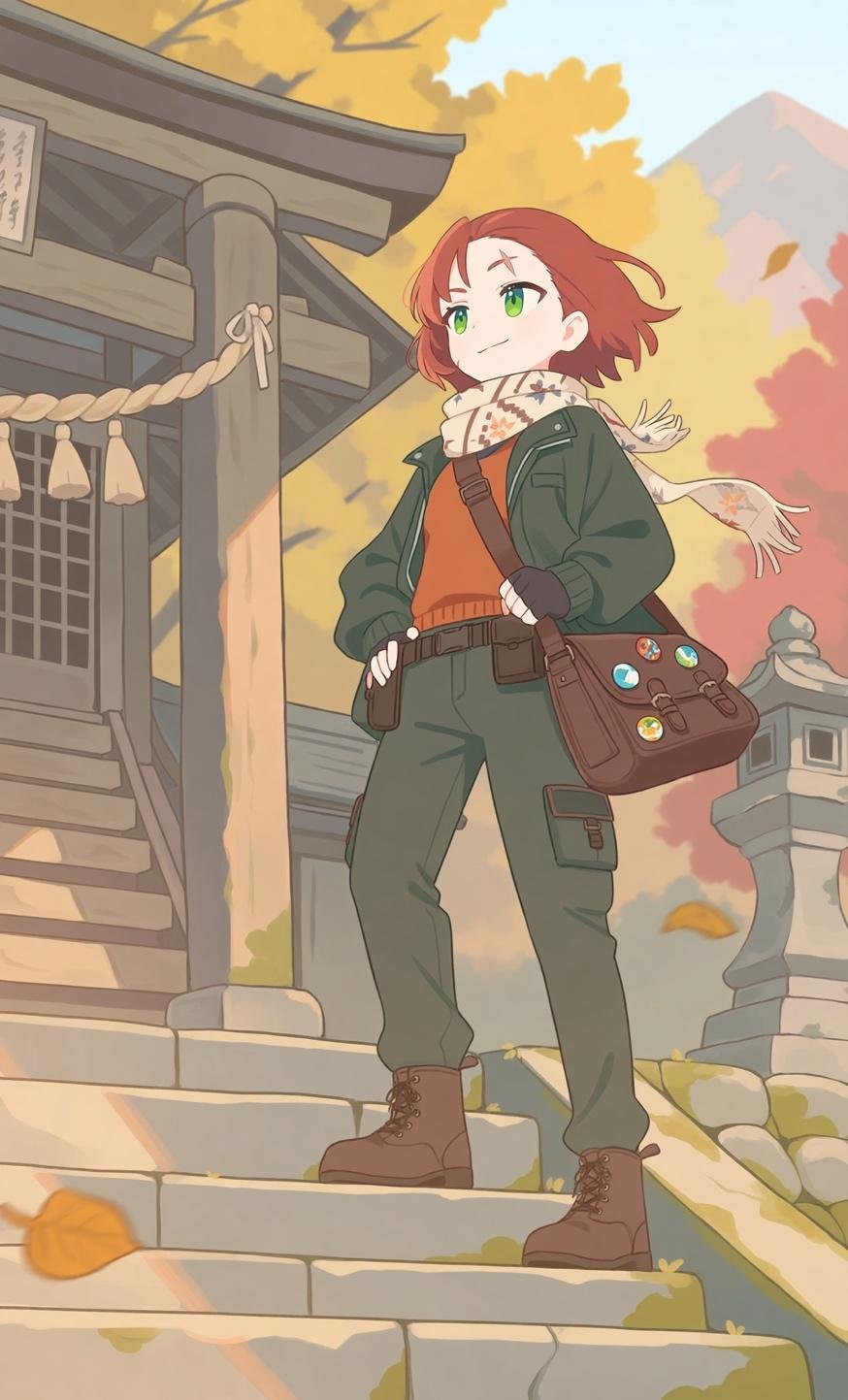
What matters here is whether a free AI anime art generator can get from a simple idea to an intentional, usable anime illustration without needing you to pay first.
Step 2: Try another anime model
Once you have a solid first result, try the same prompt with another anime model available to free users. Keeping the prompt as close to identical as possible makes the comparison more useful because the model is the main thing changing.
Compare the two results for things like character rendering, clothing details, composition, lighting, and how well each model follows the different parts of the prompt.
In the first prompt, we used PixAI’s Tsubaki.3. Let’s now try Harukav2, which is also available to free users.
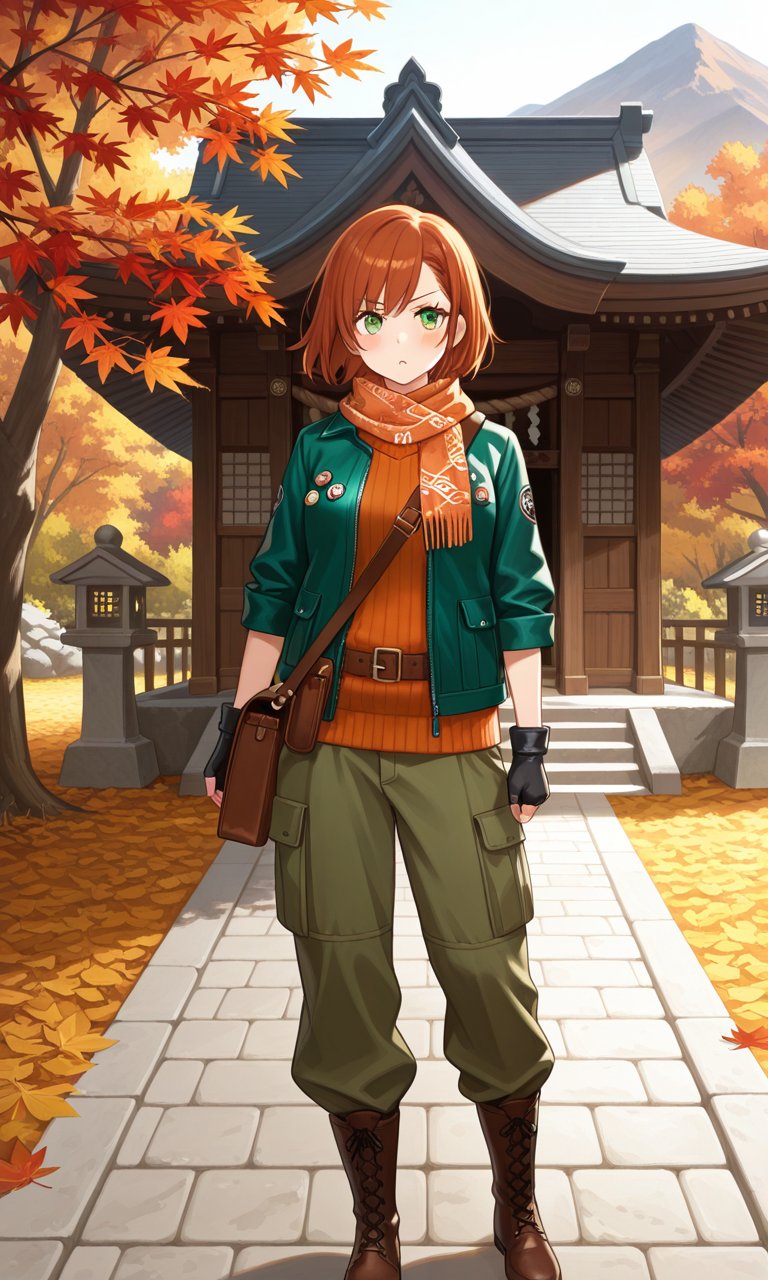
As you can see, the aesthetics are quite different.
Step 3: Add a LoRA for more control
PixAI’s free anime image generator also lets you use community LoRAs during image generation, giving you another way to design the character or visual style beyond the base model and prompt.
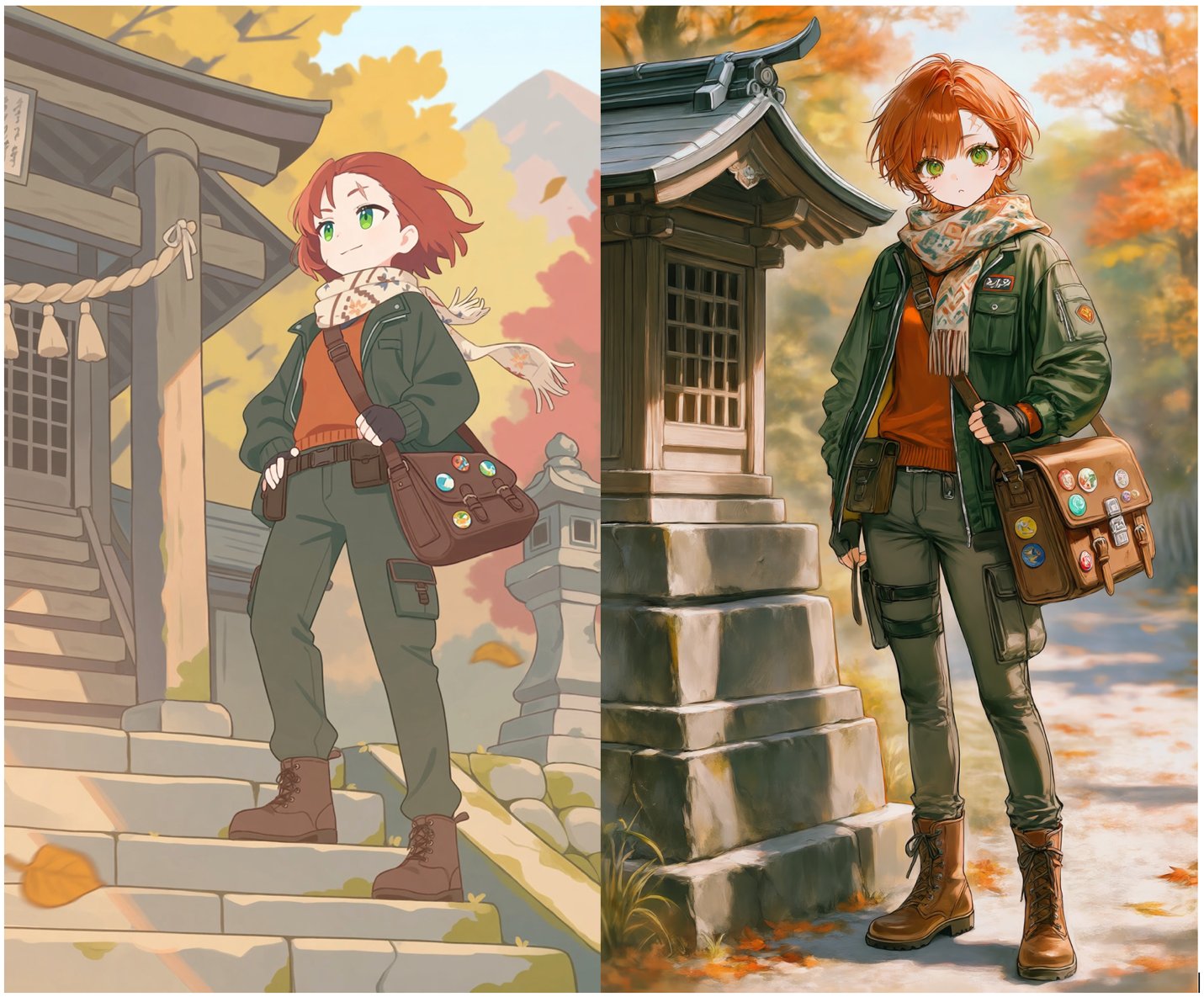
For this test, let’s add relevant community LoRAs to the character and compare the result with the version generated without them. We’ll go back to the original Tsubaki.3. Note that different LoRAs change different aspects of AI anime art.
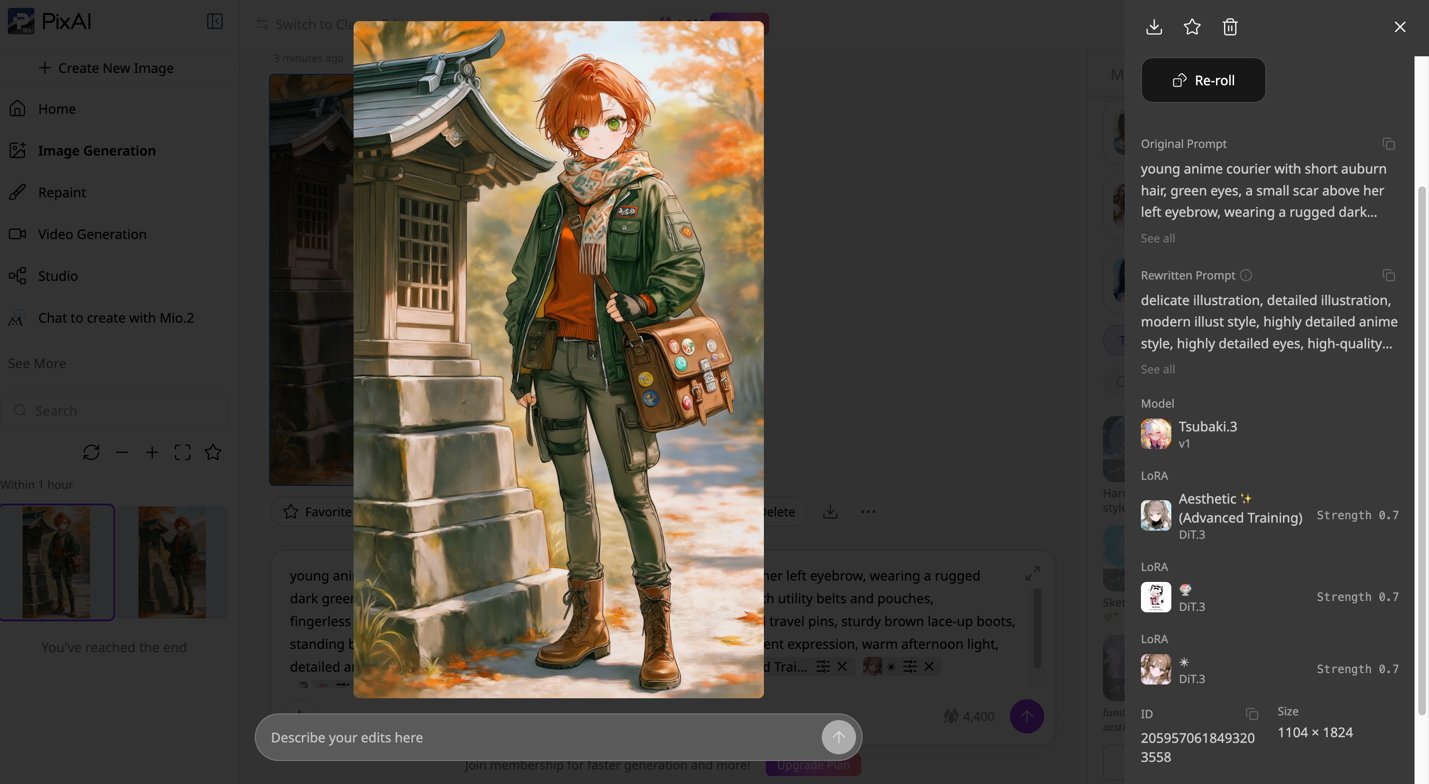
Here’s how it compares to the original:
Step 4: Develop the idea further
Once you have a character you like, the next question is whether you can keep working with that character instead of starting from scratch each time. Try taking the courier into a different setting or pose while keeping her key visual traits intact.
For example, you could move her from the mountain shrine to a forest trail. PixAI’s Tsubaki.3 provides Smart Reference to free users, although you’d need to upgrade to use the Reference Pro model that specializes in reusing characters without changes.
Click on the image you’ve generated with Tsubaki.3, then click Smart Reference. Enter the prompt below:
Use @image1 the same young courier walking along a forest path in early autumn, her leather satchel over one shoulder, fallen leaves covering the ground, distant mountains visible through the trees, late afternoon light, curious and confident expression
The important part is carrying the character and her look forward while changing the scene. And it’s where anime AI workflow starts to become more useful. Instead of just a character, you are now testing whether you can take an idea and develop it across multiple images.
Here’s what Smart Reference and our new prompt give us:
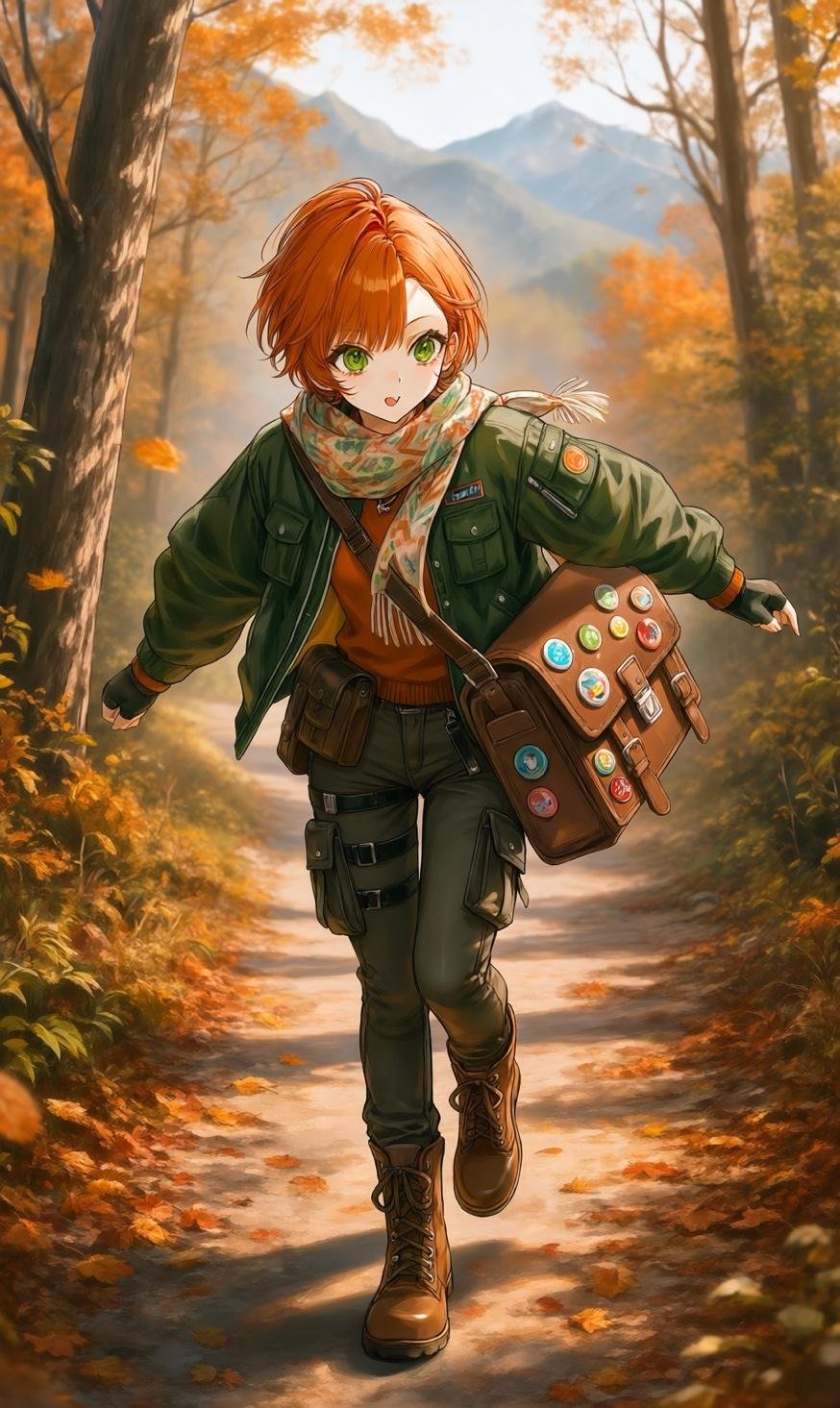
As you can see, the character remains largely consistent even in a completely new scene.
This means you can continue to develop your story further even in free mode. PixAI offers 10,000 credits you can claim every day, although these won’t be enough if you want to create a complete story. You may also need to unlock premium features such as Reference Pro for more consistency, LoRA training, and video generation.
Where does free use start to feel limited?
The free PixAI plan will let you do a lot, as we’ve seen, but how far you go also depends on what you are trying to create.
| Creator type | Is the free plan enough? |
|---|---|
| Occasional creator | Yes — daily credits cover model and LoRA experiments. |
| Learning or experimental creator | Mostly — good for prompt practice; variations and edits eat credits. |
| OC or character creator | Not quite — several iterations before the look is nailed down. |
| LoRA-focused creator | Starts free — experimentation needs extra credits. |
| High-volume creator | No — comics and libraries need a paid plan. |
Who is PixAI’s free experience enough for?
The free access is enough for beginners or if you only create AI anime illustrations once in a while. You can use it to create final anime illustrations and experiment with different features.
When is paying actually worth it?
If you create frequently or want to create animations, you’ll need a paid plan. Otherwise, the free plan will just become a bottleneck.
For example, if you develop a story you’ll need dozens of images, each possibly refined over several iterations. That requires paid features such as:
- LoRA training for a specific style.
- Reference Pro for consistent characters.
- Text-to-video generation.
- Larger batches for story work.
The same applies if you want to create animations. The free credits aren’t enough for this, and the feature is also restricted to premium users. If you fit into any of these categories, a premium plan will be worth it.
Is PixAI free?
Yes, PixAI is a free AI anime generator that lets you create illustrations without paying. It gives free users daily credits and access to flagship models like Tsubaki v3 to help ensure you get high-quality illustrations.
Free users can also use image referencing, LoRAs, and multiple image generation.
Upgrading to the paid membership then unlocks more capacity and capabilities, including faster generation, more image dimensions, Reference Pro, video generation, and LoRA training.
Final thoughts
A free anime AI generator can do more than produce a single test image. A platform like PixAI offers enough credits and features for users to experiment and even keep developing a character without paying for membership.
Whether you should upgrade comes down to what you want to create. If it’s videos or a comic book, a paid plan will come in handy. But if you just want a Christmas card or an original character, the free plan is enough.